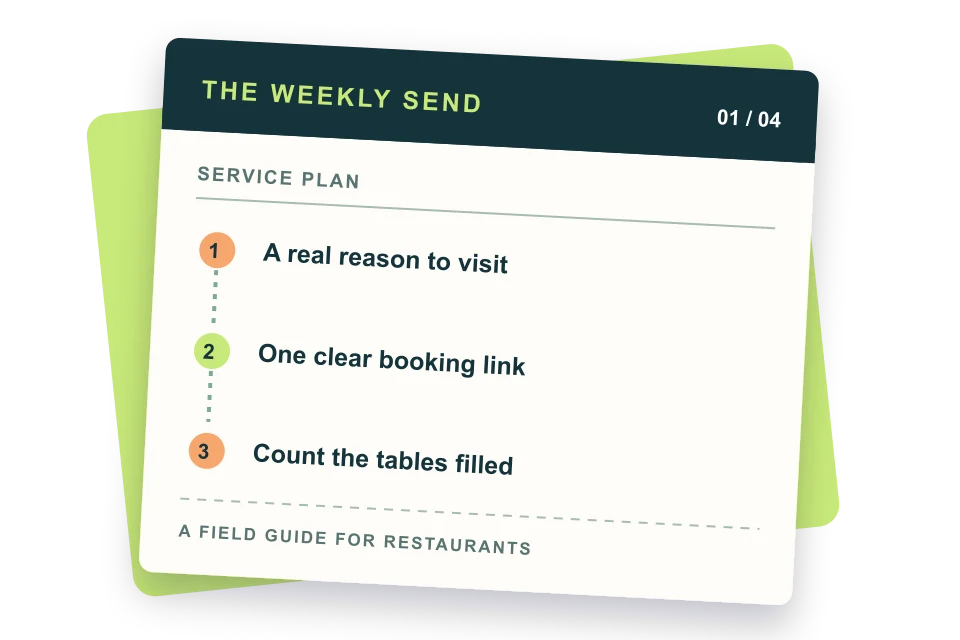
Restaurant email marketing works when you collect permission at real guest touchpoints, send a useful welcome note immediately, and follow with timely offers tied to visits, orders, and local events. Start with one weekly campaign and three automated messages: welcome, birthday, and lapsed-guest. Track bookings, orders, and redemptions alongside clicks, then adjust the calendar each month.
TL;DR
- Start with an explicit email opt-in at checkout, on the website, and beside your WiFi or QR signup. Record the source of consent.
- Use the send timing and ready-to-edit subject lines below as our suggested starting plan, then test against your own guests.
- Set up welcome, birthday, and win-back automations before adding more campaign types.
- Measure reservations, online orders, and offer redemptions; opens alone are an incomplete signal.
- The software table separates POS-native tools from general email platforms and links each starting price to its vendor.
- Keep promotional email compliant with the FTC CAN-SPAM guide; obtain separate permission before marketing texts.
Your first week: a practical send plan
A restaurant does not need a complicated funnel to start. It needs a reason to hear from guests again, a place to record permission, and a message that points to one concrete action. The plan below is our suggested starting schedule, not a reported industry standard. Change it around your opening hours, booking lead time, and the moments when your dining room needs demand.
| When | What to set up | Copy or action to use | Measure |
|---|---|---|---|
| Day 1 | Choose one guest goal | “Fill Tuesday dinner seats” or “Bring first-time takeout guests back.” | Baseline Tuesday covers or repeat orders |
| Day 2 | Add permission-based signup | “Get the next menu drop and one useful local offer each month.” | Opt-ins by source |
| Day 3 | Write a welcome email | Subject: “You’re on the list. Here’s what’s cooking.” | First-visit bookings or orders |
| Day 4 | Set up a tagged booking or order link | Use one URL or offer code per campaign. | Orders, bookings, redemptions |
| Day 5 | Create a quiet-day offer | Subject: “A table for Tuesday? We saved you a reason.” | Tuesday covers |
| Day 6 | Send a staff test | Check menu prices, mobile layout, and the booking button. | Broken-link count |
| Day 7 | Send and log results | Write down recipients, clicks, bookings, and redemptions. | Revenue attributed by your method |
Before importing names from a POS, confirm what customers agreed to receive. A receipt address, reservation address, or WiFi login is not automatically a marketing signup. Store opt-in wording, date, and source so staff can answer a guest who asks why an email arrived.
The nine restaurant emails worth sending
These nine types cover the guest journey from first contact to return visit. The trigger and timing are our proposed starting points. Use actual booking windows and ordering data to tune them. Copy the lines, then replace the bracketed details with facts from your menu, hours, and location.
| Email type | Suggested time | Subject line and first sentence | Primary action |
|---|---|---|---|
| Welcome | Immediately after opt-in | “Welcome to [Restaurant]. Start with the [signature dish].” Thanks for joining us; here is the menu guests ask for first. | View menu |
| Quiet-day offer | 2–3 days before a slow service | “Tuesday has room for you.” Our [dish] is on the menu, and the dining room is open from [hours]. | Book Tuesday |
| Loyalty update | When a real reward is earned | “Your next [reward] is ready.” Show this at checkout before [date]. | See reward |
| Event invitation | 2–3 weeks before the event | “Join us for [event] on [date].” Seats are limited to the room’s actual capacity. | Reserve a seat |
| Reservation reminder | 24–48 hours before booking | “Your table is set for [date] at [time].” Reply or use this link to change your party size. | Manage booking |
| Win-back | After 30–60 days without a recorded visit | “There’s something new on the menu.” Here is the dish we added since you last stopped by. | See what’s new |
| Birthday | 7–10 days before birthday | “Make birthday plans at [Restaurant].” Your [real offer] is good through [date]. | Book birthday table |
| Post-visit thanks | 1–2 days after a visit | “Thanks for dinner, [first name].” Tell us what worked and what we should improve. | Share feedback |
| Unfinished order | Within 1–3 hours, only where permitted | “Still thinking about dinner?” Your cart is ready if you want to finish checkout. | Resume order |
Welcome, then prove the value of staying subscribed
The first welcome message should deliver the thing promised at signup, whether that is menu news, a real discount, or early booking access. Put the useful part above a long origin story. A simple sequence is immediate welcome, a menu highlight a few days later, and a short invitation to book after the next service weekend. Campaign Monitor also describes an immediate, day-three, day-seven welcome pattern in its restaurant guide, but treat those days as a hypothesis.
Fill a quiet service without training guests to wait for discounts
Start with value that does not cut price: an early look at a seasonal dish, a chef’s counter seat, a family-style special, or a limited weekday menu. If you do discount, choose a service that needs demand, set a genuine deadline, and cap it against margin. “Half off everything” can fill seats while losing money.
Use events, birthdays, and loyalty only when the details are real
An event email needs the date, start time, price, menu or agenda, location, cancellation terms, and a booking link. A birthday email needs the offer terms and an expiry that gives the guest time to coordinate friends. A loyalty update should state the actual balance or reward; do not write “only one visit away” unless the POS can verify it.
Transactional reservation reminders deserve special care. Lead with the reservation details and a clear change link. Any promotional add-on changes the nature of the message and can create consent issues. Keep your operations message useful first and consult the FTC’s primary-purpose guidance before blending it with an offer.
Win back with news, not guilt
Pause an automated win-back series once someone orders or reserves. If the platform cannot do that, keep the sequence short and check the list before sending. A recently returned guest receiving “it’s been too long” is a preventable trust cost.
Build a list at the moments guests already trust you
List quality matters more than a large import. Explain what subscribers will receive and separate email from SMS permission. Capture the source in your email tool so you can compare which signup point later produces actual bookings. Never buy a list of local diners: those people did not ask this restaurant to contact them.
| Touchpoint | What guests see | Operational check |
|---|---|---|
| Table QR | “Scan for the next menu drop and one monthly offer.” | Place the code on a clean, readable card; use a direct signup page. |
| Guest WiFi | “Email me menu news and special events.” Separate unchecked box. | Allow internet access without requiring marketing consent. |
| POS checkout | “Send me [Restaurant] updates by email.” Unchecked choice. | Record the precise consent text and date. |
| Website / reservations | “Get the seasonal menu before it goes live.” | Keep booking confirmations separate from marketing opt-in. |
| Social profile | “Get the first look at our [season] menu.” Link to signup. | Send social visitors to a branded form, not a generic profile page. |
Put the promise beside the field. “Join our newsletter” gives a guest little reason to act; “Get first booking access for our monthly tasting” names a benefit. Only promise early access if your team can actually deliver it. Match the signup promise to the first email so a guest recognizes why it arrived.
For a small restaurant, use a simple preference field such as dine-in, takeout, or events. Ask for a birthday only if you intend to honor it and can explain how the date is used. Avoid long forms at a table. You can learn preferences later from clicks and orders, with appropriate notice and permission.
Copy-ready email templates for common restaurant moments
Use these as working drafts. Replace every bracketed field, verify the linked menu and hours, and have a manager read the offer terms before sending. The suggested times are our editorial recommendations.
Template: a new subscriber who has never visited
Subject: You’re on the [Restaurant] list. Preheader: Start with the [signature dish], or pick your next table. Hi [first name], thanks for signing up. We send a short note when the menu changes or a special table opens. If you’re coming for the first time, [signature dish] is where many guests start. See the menu and reserve a table below. Button: See the menu
Original sample copy; adapt to your actual restaurant.
If you promised a signup reward, put it in this message with a code, expiry, and any exclusions. Do not make a guest hunt through a later sequence to receive it. A welcome email is also the best place to set frequency expectations and include a visible unsubscribe option.
Template: a slow Tuesday dinner
Subject: Tuesday dinner at [Restaurant]: [dish] is back. Preheader: Book for [date] while tables are available. The [dish] returns this Tuesday, served from [hours] at [location]. If you’ve been waiting for a quieter dinner, there are tables to book now. View the menu before you decide. Button: Book Tuesday
Original sample copy; send only while tables are genuinely open.
The subject names the day and the reason to visit. It avoids a false countdown. If the dish sells out, update the booking page or stop the campaign. Send a shorter reminder only to people who did not book, and only if your platform can reliably suppress bookers.
Template: a guest who has not returned
Subject: New since your last visit: [menu item]. Preheader: The [season] menu is ready. We added [dish] this week, along with [one specific detail]. If dinner plans are still open, you can see the full menu and choose a table here. No pressure; we’ll keep sending useful updates when there’s something worth sharing. Button: View the new menu
Original sample copy; use only with a reliable inactivity segment.
A win-back email should be easy to ignore without feeling judged. One relevant change is stronger than three generic offers. Suppress recent visitors, employees, and guests who already made a future booking.
Template: private dining inquiry
Subject: Planning a group dinner at [Restaurant]? Preheader: See the room, sample menu, and date options. Our [private room / large table] seats up to [verified capacity]. We can share menu options for [type of gathering] and help you pick a time that fits the group. Tell us your date and approximate party size, and we’ll reply with availability. Button: Ask about a group table
Original sample copy; verify room capacity and service details.
Best practices that matter in a restaurant inbox
- One service, one action. Put the booking or ordering action near the top, repeat it after the details, and avoid equal-weight buttons to every social profile.
- Show the dish, then the terms. Use a clear photo or concise menu description, followed by price, dates, location, and restrictions.
- Send by location. A multi-unit group should not advertise a dish at a branch that does not serve it.
- Respect kitchen reality. Check inventory, staffing, online ordering hours, and sold-out items before a scheduled campaign goes out.
- Keep the list healthy. Remove invalid addresses, honor opt-outs, and review inactive segments before importing a POS file.
- Test on a phone. Check whether the subject is legible, the booking button is tappable, and the menu has a text alternative.
The FTC CAN-SPAM guide requires accurate sender and subject information, a valid physical postal address, a clear opt-out route, and honoring opt-out requests within ten business days. The law applies to commercial email, including messages to existing customers. Your email platform can help implement these controls, but the restaurant remains responsible for its messages.
Avoid judging a campaign from its subject line alone. An email can draw opens without creating dinner traffic. Review the full path from delivered mail to click, booking, show-up, and check value. If a coupon is involved, compare redeemed checks with the margin you gave away.
Benchmarks, KPIs, and a useful A/B test
Campaign Monitor cites a 2022 restaurant, food, and beverage category in its restaurant guide. Those figures are directional historical context, not a 2026 promise and not a substitute for your own baseline. Delivery rules, privacy protections, and list mix can change what an “open” means. Use clicks and sales outcomes to make decisions.
| Metric | Published category figure | What your restaurant should log |
|---|---|---|
| Open rate | 18.5% (Campaign Monitor 2022 category) | Delivered emails and opens; interpret cautiously |
| Click-through rate | 2.0% (Campaign Monitor 2022 category) | Unique clicks on booking/order link |
| Click-to-open rate | 10.5% (Campaign Monitor 2022 category) | Whether body and offer matched interest |
| Unsubscribe rate | 0.1% (Campaign Monitor 2022 category) | Unsubscribes by campaign and list source |
| Bookings / orders | No universal category figure | Confirmed conversions from tagged links or codes |
| Attributed gross margin | No universal category figure | Revenue less food, labor, and promotion cost by your method |
Run a clean test with one question: does a dish-led subject or a day-led subject lead to more bookings? Split a comparable audience at random, keep the same send time and message body, and compare confirmed bookings after the campaign. A larger list and longer observation window make the result more stable; a small restaurant should avoid declaring a winner from a handful of clicks.
Record the campaign date, audience, subject A, subject B, delivered counts, unique clicks, bookings, and redemptions. If your reservation or POS system cannot attribute a booking, use a dedicated landing link or a code asked for at checkout. Label attribution as an estimate when the guest could have seen other channels.
Restaurant email software: price and fit at a glance
A cheap starting price can hide the real operational cost of moving guest data between systems. POS-native tools tend to make order and visit segmentation easier; general email platforms often have lower entry prices and broader design control. Check the plan threshold, send cap, location billing, and any separate SMS charge before choosing.
| Platform | Best for | Starting price | Restaurant-specific features | SMS included? | Official website |
|---|---|---|---|---|---|
| Square Marketing | Restaurants already on Square | $49/location/mo (Square Plus) | POS customer directory, purchase groups, coupon redemption | Yes: 500 texts on Plus | Visit Square Marketing |
| Toast Marketing | Restaurants already on Toast | Custom quote for marketing | Toast POS and online-order data, first-time/lapsed/VIP flows | Available in suite | Visit Toast Marketing |
| Brevo | Low-volume email and optional SMS | From $9/mo Starter | Signup forms, automation; POS via third-party connection | No, separate credits | Visit Brevo |
| MailerLite | A simple weekly newsletter | From $12/mo Comfort | Forms, landing pages, automations; no native restaurant POS | No, separate product | Visit MailerLite |
| Mailchimp | General-purpose campaign testing | From $13/mo Essentials | Forms, templates, basic journeys; POS via integration | No, separate plan/credits | Visit Mailchimp |
| Constant Contact | Owners who want live support | From $12/mo Lite | Forms, events, social posts; POS via integration | No, add-on / higher tier | Visit Constant Contact |
| Campaign Monitor | Polished menu and event email | From $12/mo Lite | Journeys, signup forms; POS via integration | No, separate capability | Visit Campaign Monitor |
| Klaviyo | Online-order data segmentation | $0 free tier (250 profiles) | Multi-channel segments, integrations; restaurant POS varies | Limited free credits | Visit Klaviyo |
Our full restaurant email software comparison walks through the eight options, cost scenarios, and the questions to ask in a demo. If you plan to send marketing texts, read the restaurant SMS marketing guide before choosing a combined plan.
A monthly calendar you can run without a marketing team
This calendar is a reusable house plan, not a claimed optimal frequency. It gives each week a distinct job so guests do not receive four versions of the same discount. Keep automated welcome, reservation, and birthday messages separate from the scheduled campaign.
| Week | Send | Suggested day/time | Success measure |
|---|---|---|---|
| 1 | Seasonal menu or new dish preview | Tuesday, 10 a.m. local | Menu clicks and related orders |
| 2 | Quiet-service invitation | Sunday, 4 p.m. local for Tuesday | Tuesday bookings or covers |
| 3 | Guest story or behind-the-scenes note | Wednesday, 11 a.m. local | Clicks and replies |
| 4 | Event or group dining invitation | Tuesday, 10 a.m. local | Qualified inquiries or event bookings |
Put upcoming holidays on the calendar early enough to sell a seat, then adjust for your reservation window. A Valentine’s dinner needs more lead time than a same-week lunch special. Check past booking curves rather than copying a generic holiday schedule.
What real restaurant brands have published
Oscar’s Authentic Mexican Grill uses Toast Marketing to remind guests about double-point periods; its Toast customer story describes the program and reports $10,000 in marketing-generated sales over a thirty-day period. That is a vendor-reported case result for one restaurant, not a projection for yours. The transferable idea is to promote a real slow-day loyalty benefit and measure the day, not just the email.
Chicago Bagel Authority is a two-location sandwich shop. Toast’s published case study says automated email campaigns drove 300 repeat visits. The useful lesson is the workflow: connect an actual guest event to a message and then count repeat visits through the POS. The reported result is specific to that operator.
Chef Zhao, a Toast customer, uses enrolled guest data in the directory for email and SMS messages about dishes and offers, according to the restaurant’s Toast case study. That shows what a POS-connected audience can make possible; it does not show that every address in a transaction is permission to market. Check enrollment and channel consent before copying the approach.
Frequently asked questions
Is email marketing good for restaurants?
Yes, when it gives previous and potential guests a clear reason to book, order, or return. Start with permission-based collection, useful menu and service updates, and a simple way to track bookings or orders. A small, engaged list is more valuable than a large unverified export.
What is the 30/30/30 rule for restaurants?
It is a restaurant budgeting rule of thumb: roughly 30% of revenue for food, 30% for labor, 30% for overhead, leaving 10% for profit, as CHEF’S STORE explains. It is not an email cadence rule or a guaranteed margin. Use your own cost records when deciding whether a campaign offer is profitable.
What is the 80/20 rule for email marketing?
Our editorial 80/20 planning shorthand is to make most messages useful to guests and a smaller share direct promotions. This ratio is not a law or a restaurant performance benchmark. A useful update could be a new menu, service change, or event notice; test your own balance against bookings and unsubscribes.
What are some creative email ideas for restaurants?
Try a dish return announcement, a chef’s short note explaining a seasonal ingredient, first access to a real tasting event, a neighborhood lunch guide, or an invitation to a quiet service. Each should include the exact date, price or terms, location, and one booking or ordering action. See the ideas guide for more copy.
How often should a restaurant send marketing emails?
A weekly email is a workable starting estimate for a restaurant with real news and a clean list. Reduce frequency if the message is repetitive or unsubscribes rise; add targeted messages when there is a relevant event or purchase trigger. Keep reservation and order service messages distinct from marketing.